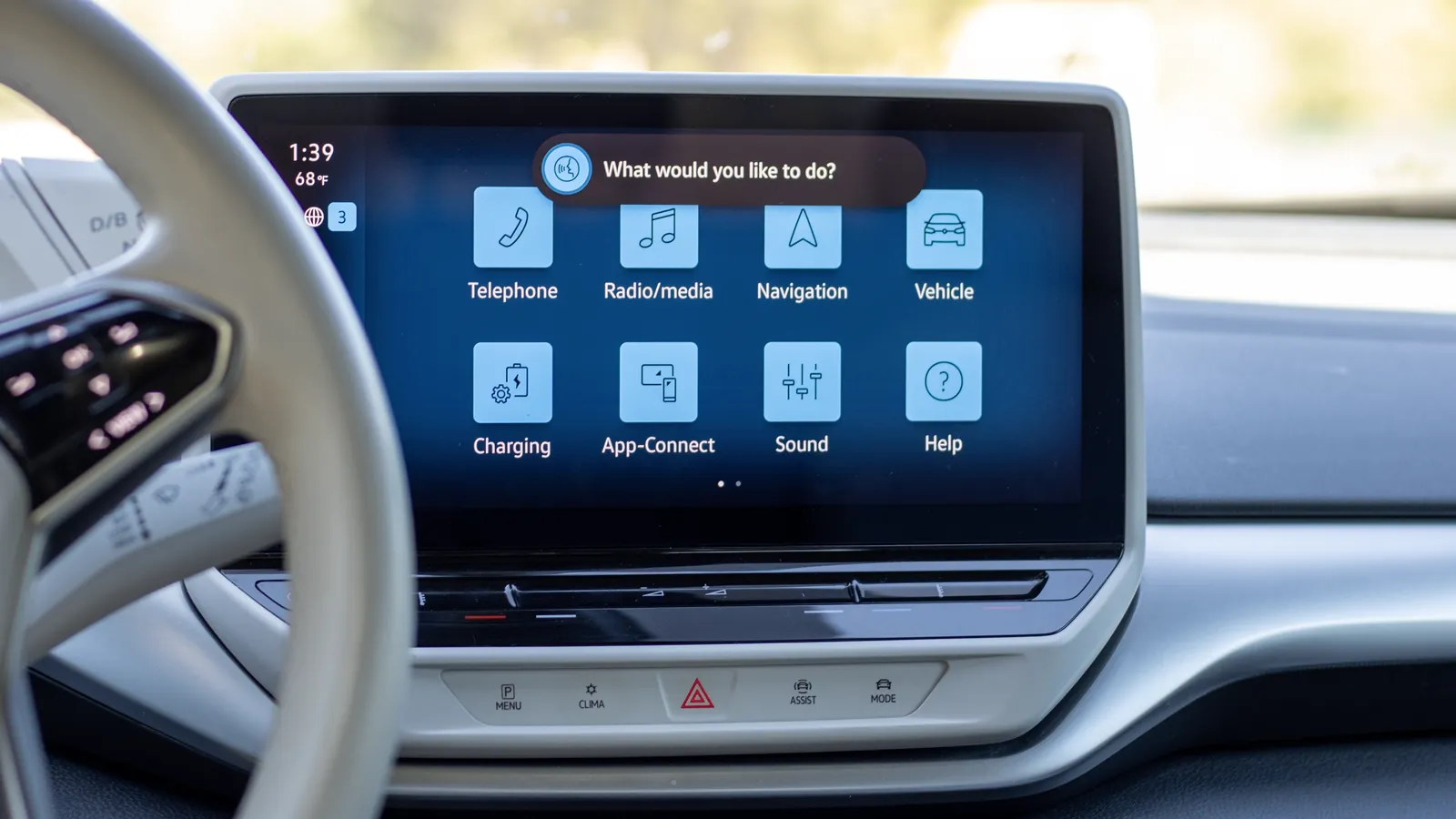

Though they can be unresponsive at times, I use voice commands when driving my VW ID.4 quite often. You might be surprised at just how much you can control. Here’s how to activate the voice control feature and 25+ commands that you should try out.
Activating the VW ID.4’s Voice Controls
There are two ways to operate the Volkswagen ID.4’s voice controls. First, you can simply say “hello ID” if the hands-free activation is turned on (directions on doing so are below). The other way is by pressing the voice control button on the right side of the steering wheel.
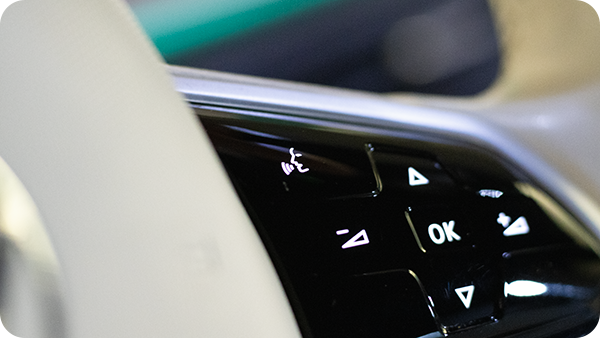
The voice control button on the steering wheel is the most reliable way to use voice commands.
List of ID.4 Voice Commands
You don’t have to say these commands exactly as written, but it may help the vehicle recognize what you are asking for if you run into issues.
Parent Command |
Options/Example |
What It Does |
|---|---|---|
| “Show Help” | Displays a list of standard commands. | |
| “Turn Seat Heaters On (with Level)” | 1, 2, 3 (if no level is provided, it will turn on to maximum)
Optional command: “driver” or “passenger” Example: “Turn seat heaters on 3.” |
Turns on the heated front seats. You can also control just the driver or passenger side individually. |
| “Turn Seat Heater Off” | Optional command: “driver” or “passenger”
Example: “Turn driver seat heater off.” |
Turns off heated front seats. |
| “Turn Heated Steering Wheel On (with Level)” | 1, 2, 3 (if no level is provided, it will turn on to maximum)
Example: “Turn heated steering wheel on 3.” |
Turns on the heated steering wheel. |
| “Set Temperature to (XX) Degrees” | Example: “Set temperature to 75 degrees.” | Sets the HVAC to the desired cabin temperature. |
| “Turn Window Defroster (On/Off)” | “On” or “Off”
Example: “Turn window defroster on.” |
Turns the window defroster on or off. |
| “Turn Rear Window Defroster (On/Off)” | “On” or “Off”
Example: “Turn rear window defroster on.” |
Turns the rear window defroster on or off. |
| “My Feet are Cold” | Turns on the heater. | |
| “My Hands are Cold” | Turns on the heated steering wheel. | |
| “My Butt is Cold” | Turns on the driver’s heated seat. | |
| “It’s Too Hot” | Turns on the air conditioning system. | |
| “It’s Too Cold” | Turns on the heater. | |
| “Set Fan Level to (X)” | 1-10
Example: “Set fan level to 10.” |
Adjusts the fan speed to the desired level. |
| “Turn Fan (On/Off)” | “On” or “Off”
Example: “Turn fan off.” |
Turns the HVAC fan on or off. |
| “Turn Recirculation (On/Off)” | “On” or “Off”
Example: “Turn recirculation on.” |
Turns HVAC air recirculation on or off. |
| “(Open/Close) sunshade” | “Open” or “Close” Example: “Open sunshade.” |
Opens or closes sunshade. |
| “It’s Too Dark” | Opens the sunshade. | |
| “It’s Too Bright” | Closes the sunshade. | |
| “Open/Close the Sunshade Halfway” | A level is not required. | Partially opens or closes the sunshade. |
| “Navigate To” | Address, POI, home, contact name, or work.
Example: “Navigate to home.” |
“Navigate to” is a relatively open command. You can also try “take me to” as the operation word.
Keep in mind this uses the ID.4’s navigation system, not Apple CarPlay or Android Auto. |
| “When Will I Arrive” | If you are navigating with the ID.4’s built-in system, it will provide you with your ETA. | |
| “Call (Contact Name)” | Contact name or “voicemail”
Example: “Call John Doe.” |
If you have a phone currently connected to the ID.4 with contact information allowed, it will attempt to call someone from this list. |
| “What’s My Charge” | This will open the “charging” menu on the infotainment screen. | |
| “What’s My Consumption” | This will display the “vehicle” menu tab containing your current efficiency and drive information. | |
| “I Want to Listen to the Radio Frequency (XX.X)” | Station frequency number
Example: “I want to listen to radio frequency 99.7.” |
This will allow you to open the radio menu and should automatically set the correct frequency for you.
You can also say “I want to listen to the radio” to have the radio menu appear. |
| “I Want to Listen to (Media Type)” | Bluetooth, radio, media (for media screen)
Example: “I want to listen to Bluetooth.” |
The vehicle will play the requested media source or display the source screen if the “media” command is used. |
| “Turn the Volume (Up/Down/Mute)” | Up, down, or mute
Example: “Turn the volume down.” |
Adjusts the vehicle sound system’s volume, either increasing, decreasing, or muting it completely. |
Other ID.4 Content You May Like:
- VW ID.4 Long-Term Owner Review (5 Years & 80k Miles)
- VW ID.4 Charging Guide + Time and Money Saving Tips
- VW ID.4 Real World Range (Highway & Cold Weather) + Tips
- VW ID.4: Maintenance Costs & Reliability After 80,000 Miles
- VW ID.4 Interior: Owner’s Review (Features, Durability, Comfort)
How to Activate the Hands-Free Setting
Activating the VW ID.4’s hands-free voice control feature is pretty simple. Here’s how to do it.
Navigate through the following menus:
Settings > Voice operation > Activation word
Under “activation word,” ensure that the submenu item “active” is turned on. I also recommend turning both of the tone settings on as well.
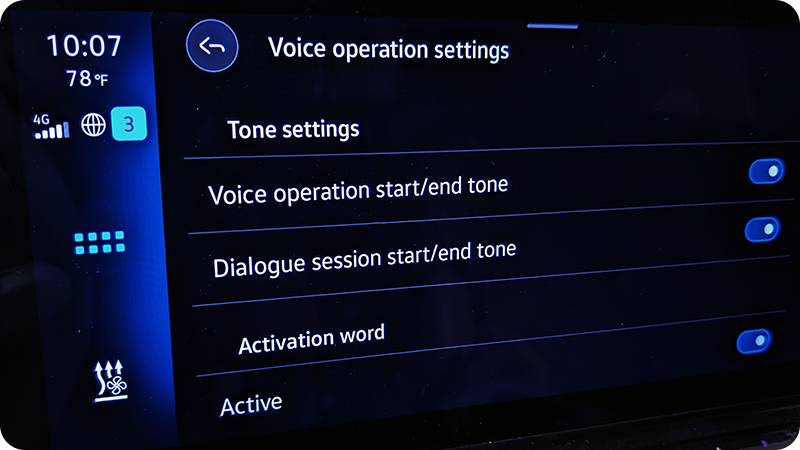
You can also turn on or off the beginning and end chimes. I’d recommend leaving them on.
Now test that everything is working correctly by saying “hello ID.” If it is, a prompt with the text “how can I help you” will appear at the top of the infotainment screen, accompanied by a sound effect. If nothing happens, try a few more times. It’s common for the software to be a bit buggy.
ID.4 Voice Command Tips
Here are some tips to help you get the most out of using voice commands in your Volkswagen ID.4.
- The ID.4’s voice control system can understand natural language to an extent, so you don’t have to use the exact commands above.
- When using hands-free voice activation, you can usually state “hello ID” and the entire command all in one go, which will speed up the process.
- If you try one of the commands above and it doesn’t work, try repeating the exact same command again as the system can sometimes misunderstand you.
- The next best step is to try and rephrase a command slightly differently.
- I’ve had issues in the past with the hands-free voice activation constantly turning on when having a conversation with another passenger. If this happens to you, I recommend turning it off.
- After doing so, you’ll only be able to operate the system using the steering wheel control.
- The media controls only work with the built-in infotainment apps and some Apple CarPlay and Android Auto apps like Spotify. If you are playing YouTube via Bluetooth from your phone, you can’t pause a video, for example.
Have questions about the ID.4? Be sure to check out my ID.4 FAQ.
Sources
Related Articles