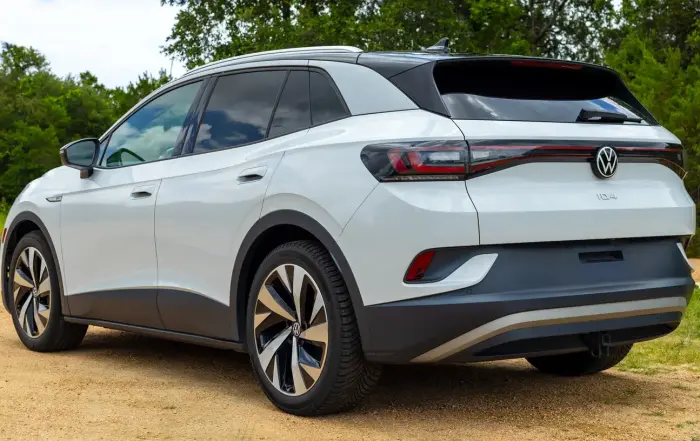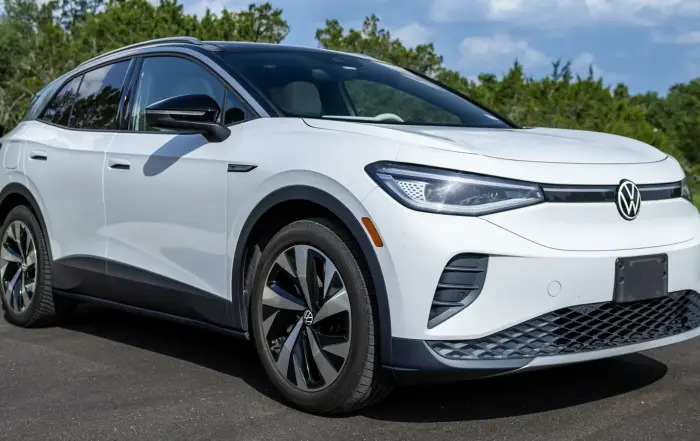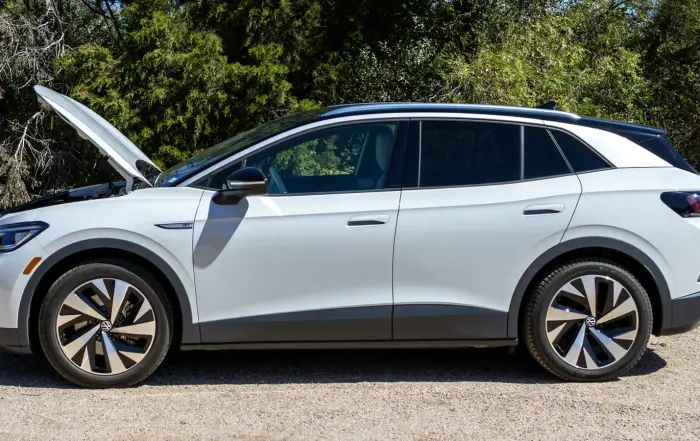

Here’s everything you need to know about charging the Volkswagen ID.4, including at home and in public, with tips and recommendations from a five-year owner. Plus, there’s an accessory you’ll definitely want!
Charging the ID.4 at Home
Like most non-Tesla EVs, the VW ID.4 currently uses the SAE J1772 port, which is standard for Level 1 and Level 2 charging in North America, at least for now.
Level 1 Charging Speeds
The ID.4 comes with a Level 1 home charging cable that plugs into a regular 120V wall outlet and adds between 2 and 4 miles of range to the battery pack per hour of charging (depending on which trim you have).

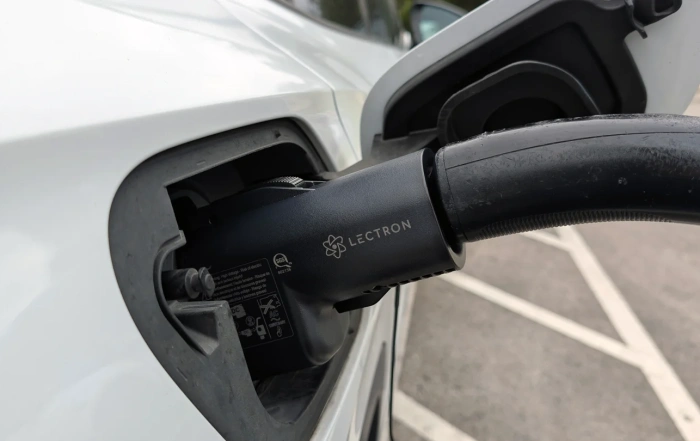
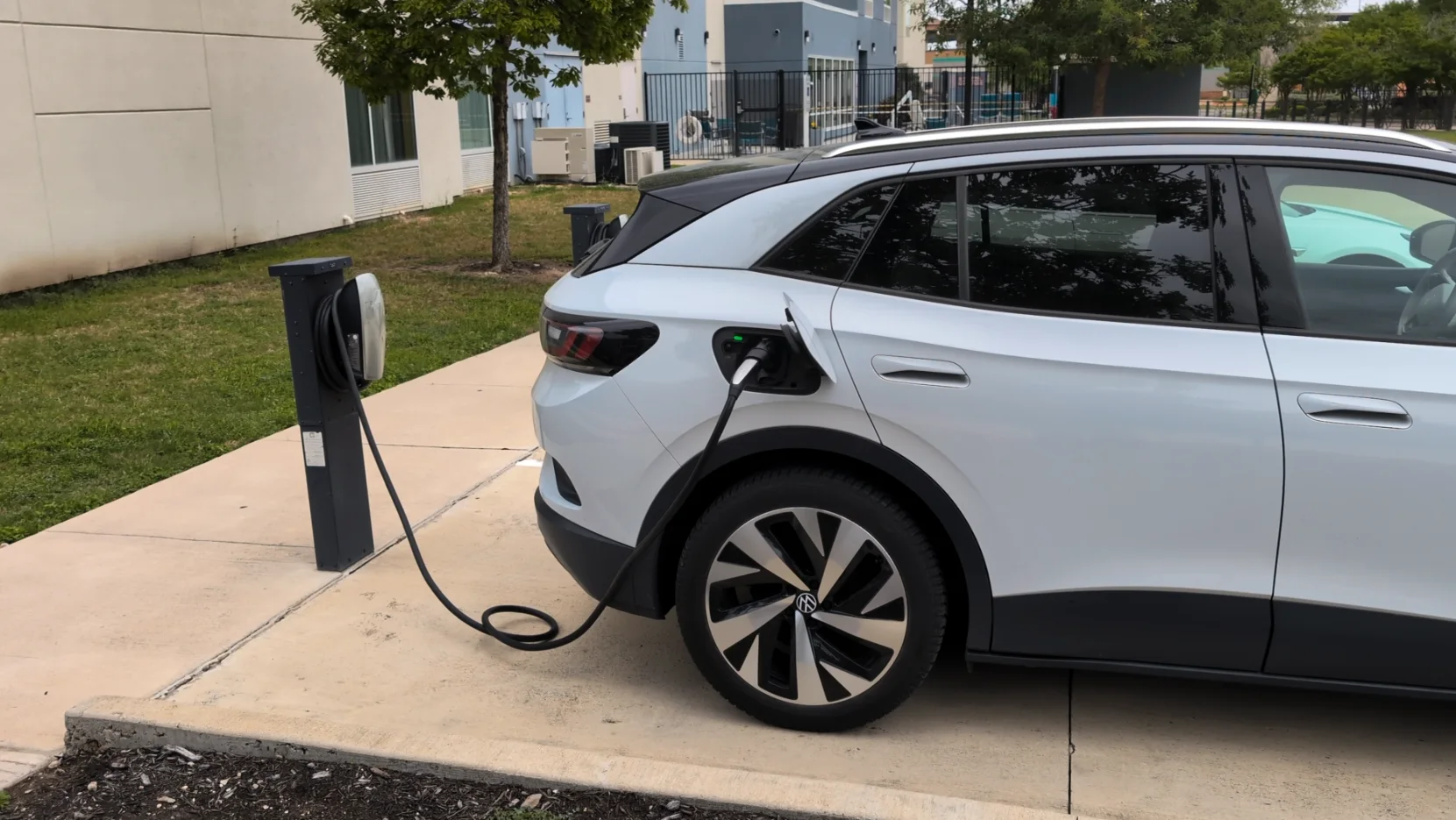
My ID.4 charging at home with the included Level 1 cable.
Technically, it would take 3 days to fully recharge the pack using this cable, but most ID.4 owners plug in each night to replace only the daily amount of range they use.
Though it’s quite slow, this was the method I used for the first few years that I owned the car, but I have recently upgraded to Level 2 charging, which has made a big difference in my charging experience.
Level 2 Charging Is a Difference Maker
Level 2 equipment, which can be hardwired or plugged into a 240V outlet like a NEMA 14-50 (which I use), increases the ID.4’s charging speeds by around 10 times compared to the included cable, adding 20-30 miles of range per hour to the pack.

Level 2 charging with a NEMA 14-50 outlet increased my speeds by 10x.
For reference, it took 12-15 hours to recharge from my 40-mile round-trip commute before, and only about an hour and 15 minutes now.
Level 2 Charger I Use
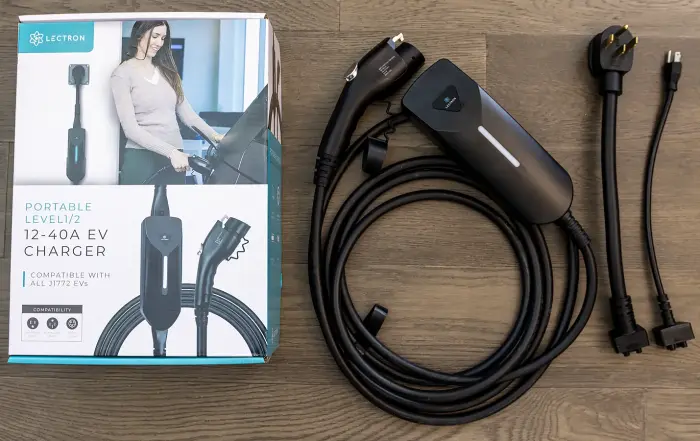
For my home charging needs, I’ve been using a Level 2 charging cable made by Lectron (this is their current product), which has been excellent. It has one of the fastest power outputs for portable equipment (40 amps) and comes with an adapter so you can use it for Level 1 charging, too.

Now that I’ve used a Level 2 charger, I don’t think I could go back.
You can improve home charging speeds by 20% or more via a hardwired home charging box, but they are more expensive, have to be professionally installed, and you can’t bring them with you on road trips.
Something to keep in mind is that Level 2 charging is more efficient, so even if you pay $300 or more upfront for the cable, the amount you’ll save on your electricity bill will more than make up for it over time.
You can find Lectron’s Level 2 charging cable on Amazon or their website.
Home Charging Costs
Volkswagen ID.4s come with up to a 77 kWh usable battery pack (82 kWh total). The average cost per kWh in the United States is $0.17. This means you’ll pay between $15.00 and $20.00 for 290 miles of range in the RWD trim.
This is roughly the same as driving a 29 MPG ICE vehicle with gasoline prices of $1.50 to $2.00 a gallon. Again, with Level 2 charging, you’ll use about 12-15% less energy each time.
Tips for Charging Your ID.4 at Home
These are some tips to get the most out of charging your VW ID.4 at home.
Create a Charging Schedule
You can schedule your ID.4 to only charge during certain times of the day, which is helpful if you have a time-of-use electricity plan. Here’s how:
- Go to the Charging menu and select “Locations.”
- Click the icon to add a new location and give it a name.
- On the next screen you’ll see lots of options, but scroll down to “preferred charging times.”
- After selecting one of the available rows, you’ll see two clocks.
- The first clock is for when your ID.4 will start charging each day.
- The second clock is when it will stop.
- Once you position the clocks to your desired charging time frame, tap “save.”
- Be sure to also select the check box next to the time slot so that it’s active.
Unlocking the ID.4’s Charge Port
Though you can choose to have the VW ID.4’s charge port automatically unlock once charging is complete, it will otherwise remain locked unless you do one of the following:
- Touch “stop charging” on the charging menu.
- Double tap the unlock button on your key fob.
- Unlock it with the driver’s or passenger’s lock buttons.
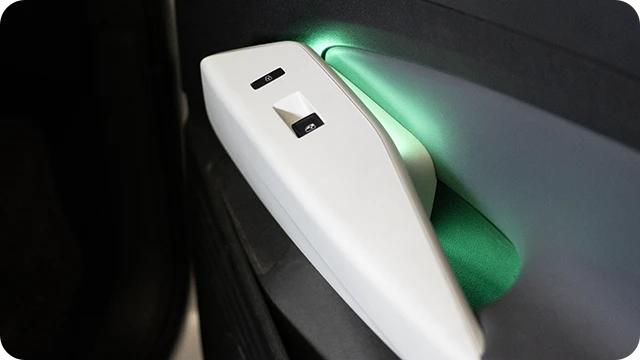
Personally, I find it easiest to unlock it by opening the passenger’s door and pushing the lock button there.
Daily Charge Level Recommendations
For daily use, it’s best for most EV batteries to remain between 30% and 70% state of charge. This will help reduce capacity loss during your ID.4’s lifetime. Having the battery sit below 20% or above 80% for long periods isn’t recommended. I kept my ID.4’s charge level at 80% daily for the first few years and it might have something to do with its degradation.
On that same note, I would recommend against charging the battery to 100% more than just a few times a year, if you can. If you are going to set it to this level, drive it immediately, or it could cause the battery degradation rate to increase dramatically.
You should only ever be charging to 100% for road trips where you absolutely need that extra 10% of range.
Using Public Chargers
When you are away from home, you’ll likely be using public charging equipment to refuel your ID.4’s battery pack. There are two different types you should know about: DC fast chargers and destination chargers.
DC Fast Chargers
Using a Level 3 DC fast charger, the latest VW ID.4s can accept up to 170 kW of power via their CCS charge port. Compatible networks include Tesla Superchargers, Electrify America, and EVgo, among others.

Electrify America is just one of an ever-growing list of public charging networks.
Can the ID.4 Use Tesla Superchargers?
Yes, as of late 2025, VW ID.4 owners can now charge at most Tesla Supercharger locations in North America. In order to do so, you’ll need to buy a NACS-to-CCS adapter. You can purchase them directly from Volkswagen or from third parties.
I use Lectron’s Vortex Plus adapter, which is UL 2252 certified by SGS, is rated for up to 500 kW of power output, and usually costs a little less than OEM-branded devices. Please note that third-party adapters are used at your own risk.
You can find it on Lectron’s website or Amazon.
Charging Curve
To protect the battery pack, all EVs experience what’s known as a “charging curve,” meaning you’ll get the fastest charging speeds when your ID.4’s battery is at a low state of charge, and power will taper off slowly as the pack fills up.

Thanks to the charging curve, speeds will slow down as the battery pack gets full.
This is roughly what the charging curve should look like for a VW ID.4 with the larger 77 kWh battery pack based on state of charge (SoC):
- 0% – 30%: 170 kW
- 31% – 50%: 110 kW – 140 kW
- 51% – 84%: 90 kW – 100 kW
- 85% – 100%: 35 kW – 80 kW
How Long Does It Take to Charge the ID.4?
It’ll take the Volkswagen ID.4 around 30 – 40 minutes to recharge from 10% to 80% using a Level 3 public fast charger, though external factors like cold weather or extreme heat will slow this down a bit.
Look for Fast Chargers with 150 kW Outputs or More
It’s common for fast chargers to be 72 kW, 150 kW, 250 kW, or 350 kW. Since the newest Volkswagen ID.4s can accept up to 170 kW of energy output from fast chargers, you’ll want to find those that offer around this for the quickest charging experience.

Fast chargers will often have a label on them telling you what their maximum power outputs are.
Though if your pack is above 40% or 50% state of charge, a 72 kW charger should be fine, as you’re not going to get speeds much higher than this at that level.
Beware of Power Sharing
High-output chargers (150 kW+) can often share power between two stalls. So if you pull up to a station where someone else is already charging, try to park at least one stall away from them, if you can.
Destination Charging
Destination chargers are the other way to charge your ID.4 when you are away from home. You’ll find them everywhere, including shopping malls and hotels, and oftentimes they are less expensive to use or even free.
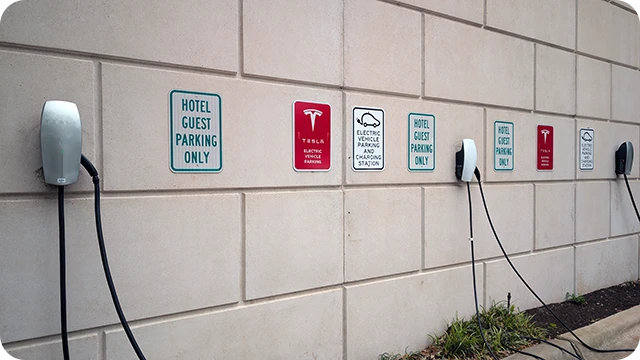
You’ll find destination chargers, like these made by Tesla at POIs like hotels, often free to use.
Since destination chargers are similar to the Level 2 charging equipment you can buy for your home, they provide the same 20-30 miles of range per hour of charging (though some Level 1 destination chargers exist).
Must-Have ID.4 Charging Accessory
One charging accessory you’ll absolutely want to buy is a Tesla (NACS) to J1772 adapter that will allow your ID.4 to use Tesla destination chargers, which are much more common than those natively compatible with J1772 charge ports.
I also use one made by Lectron that has a high-quality build to it and runs for around $120. It’s been a lifesaver for me, as most of the hotels where I travel only have Tesla destination chargers.

Trust me, if you road trip in your ID.4, you’ll want this adapter.
You can find the Tesla to J1772 adapter on Amazon or Lectron’s website as well.
Public Charging Costs
Unfortunately, DC fast charging is getting quite expensive, and the rate can vary significantly between locations and networks. In 2025, you should expect to pay between $0.30 and $0.50 per kWh delivered or ~$25 – $45 for a 0% to 100% charging session if your ID.4 has the 77 kWh battery pack. Though, you’re probably not going to ever fully recharge in one session like this.
To make things a little more complicated, some stations use session time to determine cost and not energy delivered, and you may have to pay a session fee of $3.00 – $5.00, so be on the lookout for that.
All that said, I definitely recommend looking up the cost of the public chargers you plan to use before leaving home, because it isn’t normalized like gas stations yet.
Public Charging Tips
Here are some tips to help you get the most out of public charging.
Fixing Electrify America Communication Issues
When using Electrify America charging stations, especially the older models, there can be a communication issue between the VW ID.4 and the charger if you plug in first as the screen instructs. If this happens, you’ll get lower charging speeds than you should.

I know the screen says plug in first, but trust me, don’t.
To avoid this problem, before plugging in, open the Electrify America app, select the stall you are parked in, and then swipe to initiate charging. Afterwards, you can plug the charger in, and this will greatly reduce how often this occurs.
Electrify America Customer Support Is Actually Useful
If you drive up to an Electrify America charging station and see that the screen says “unavailable” but all the other stalls are taken, give their customer support a call (the number is on the charger, or you can use 1 (833) 632-2778).
They are available 24 hours a day, 7 days a week, and you’ll get a real person who may be able to restart the charger remotely to get it to supply power. This has actually worked for me a handful of times.
Make Sure the Charging Session Is Stable
Regardless of whether it’s a fast charger or destination charger, always wait 2-3 minutes after the charging session begins before you leave your car to go eat lunch or something.
There have been numerous times over the years when in the first 30 seconds or so all seems good, only to have the session stop or the speeds drop dramatically a minute or two later.
Troubleshooting Slow ID.4 Charging Speeds
If you’re using a fast charger and not getting the expected power output (kW) based on your ID.4’s state of charge, you can try these things:
- Stop the session, unplug the charger, wait about 30 seconds, and try again. It could just be a communication issue, which unfortunately happens more often than it should.
- Sometimes it’s just easier to change to another stall altogether (though no doubt a bit inconvenient) as the cabinet supplying power to the stall may not be receiving full power from the grid itself.
- Finally, if neither of these works and your charging speed is really slow, get out of your ID.4, lock it, and walk away for a couple of minutes so that it goes to sleep. This is essentially the only way to “restart” the car and can correct communication issues originating from it.
- Yes, it’s a bit of a pain, but it has corrected problems for me in the past, and the time spent waiting is more than made up for with significantly faster charging speeds.
Sign Up for a Network Membership
While public charging rates are going up each year, you can save some money by signing up for a membership with a network you commonly use. This typically entails a monthly membership fee of around $10.00 – $15.00 but with drastically reduced charging rates each session.
The best part is, as of now, annual memberships aren’t required, so you can even sign up to save money on a one-off road trip instead of having to pay each month for something you don’t use.
Precondition Your ID.4’s Battery Pack Automatically
If you have a 2024 or newer model year, your ID.4 will automatically precondition the battery pack for optimal DC fast charging speeds if you use the in-car navigation system to route there.
Finding Public Charger Locations
I recommend downloading an app like PlugShare to find public chargers. You can use it to see reviews, comments, and photos, which are very helpful in knowing which chargers to avoid or how to find them if they are tucked away in a large shopping mall parking lot.
More ID.4 Charging Tips
Below are some other charging tips you should definitely know.
- If a charger gets stuck in your ID.4’s port and won’t release, you can manually retract the locking mechanism by pulling the yellow cord found behind a perforated cutout in the cargo area near the charge port.
- During freezing weather, both the usable capacity of the battery pack and fast charging speeds will be reduced until the battery warms up. You can expedite this process by turning the cabin heater on as high as it can go, ideally while you are still plugged in at home, and letting it run for 15 – 20 minutes.
- If your ID.4 has been charging with a Level 2 cable all night, this won’t be necessary.
- When you go on road trips, always bring a Level 1 and Level 2 charging cable with you (hopefully one cable with an adapter), because you never know when a charging station may stop working. If there’s nothing else around, you’ll often be able to find an RV park with a NEMA 14-50 plug, which could save you from a very expensive towing fee.
- You can also look for hotels or other properties with destination chargers and call to ask if you can use theirs even if you aren’t a customer. Sometimes they’ll let you do so for a small fee or even completely free.
Sources
Related Articles