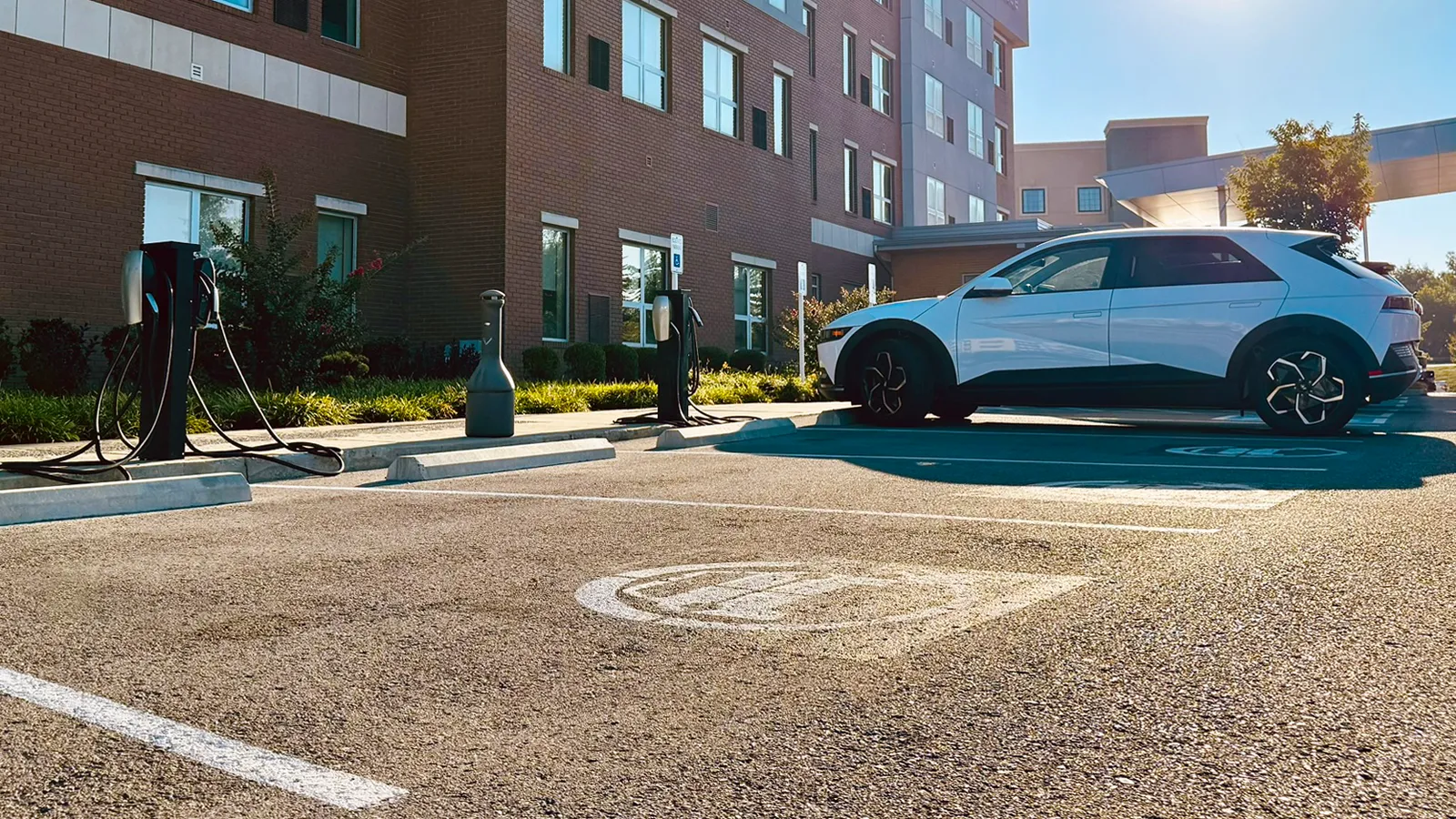

If you have an electric car, your road trip planning might differ from what it would with a gas-powered vehicle. But, it can be just as easy. Here’s everything you need to know, plus some tips I’ve learned over the years to save you time and some anxiety.
Road Tripping in an Electric Car
Forget everything you might have heard about EVs not being road trip friendly. You can absolutely take a long-distance drive in your electric car, although some models will be better suited for the journey than others. Electric vehicles with longer ranges and better maximum charging speeds will be ideal because you’ll have to make fewer and shorter charging stops along the way.
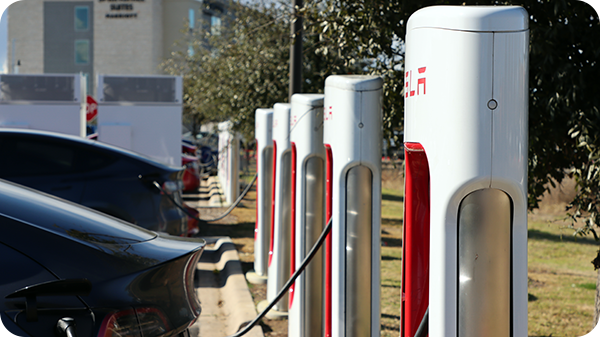
Road tripping is becoming more realistic thanks to the growth of charging infrastructure over the last few years.
Before any trip, you need to know how and where you’ll be charging based on the EV that you own and what networks it’s compatible with.
Public Fast Charging Stations
The primary way you’ll be recharging your electric car along your journey is by using a DC public fast charger, which is often referred to as “Level 3” charging. I’ve written other articles on what DC fast charging is, how to do it, and how to pay for it, so I highly recommend that you take a look at those articles as well. For now, you need to know that not all EVs can use just any charging station, because they have different charge port types.
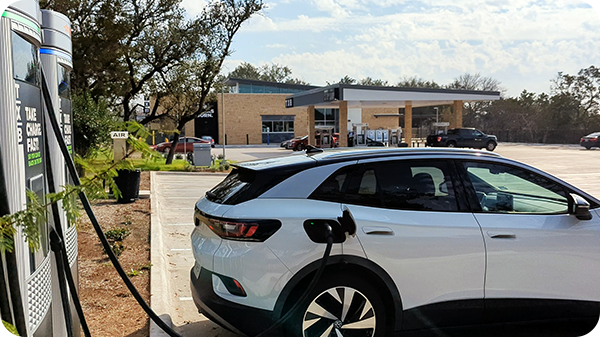
Charging an EV isn’t quite as simple as pumping gas, yet.
Tesla EVs
In the United States, Tesla uses a proprietary connector which they have opened to the industry, creating the North American Charging Standard (NACS) port.

Tesla’s proprietary charge port type, now called NACS, is used by many other car makers as well.
Tesla operates a network of fast chargers called “Superchargers” which can be found across the world and are growing in number by the day. Here’s a map from a popular Supercharger installation tracking website called supercharge.info, which shows the current active locations in the US.
Tesla Superchargers in the US
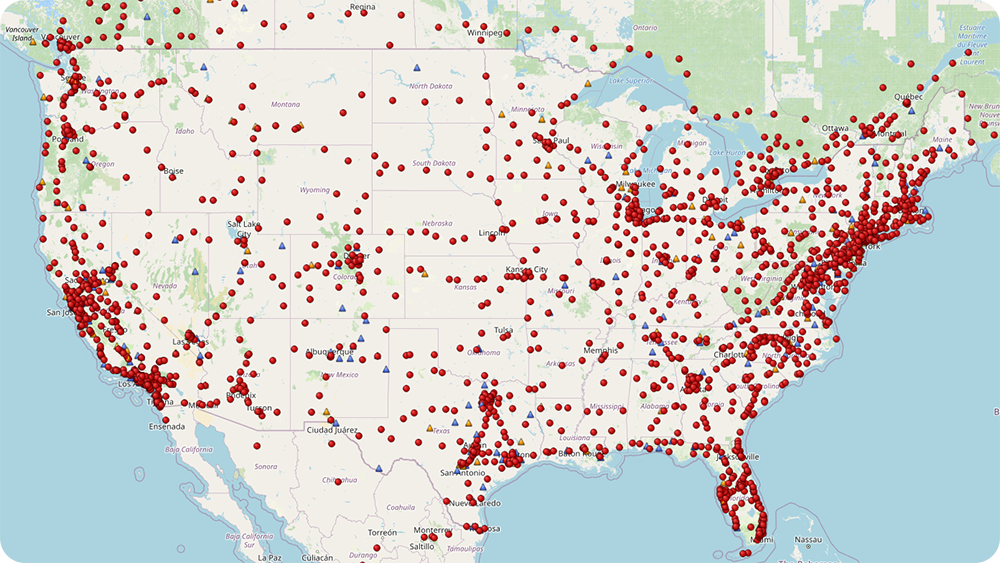
Source: supercharge.info
Tesla owners can access both Superchargers and the combined charging standard (CCS) fast charging network, if you buy the official adapter from Tesla’s website.
CHAdeMO
CHAdeMO is a mostly phased-out port in the United States, as it is primarily only used on older plug-in hybrids and the previous-generation Nissan Leaf. CHAdeMO charge rates are the slowest of the three, with a top speed of 50 kW in the US, making road trips a bit more difficult. You’ll find that many CCS charging station locations will have a stall or two for CHAdeMO EVs to use.

Though some newer charging stations have a CHAdeMO connector, this standard isn’t likely to be used on EVs in the US moving forward.
CCS-based EVs
CCS ports are those used by the majority of new electric cars in the United States and around the world. Compatible chargers and networks can be found coast-to-coast across the US. These stations are operated by companies like Electrify America, ChargePoint, and EVgo, and offer up to 350 kW of power output, though most EVs can’t accept this level of power yet.

The charge port on my VW ID.4 containing both the J1772 and CCS connector pins.
I use fastcharger.info‘s website to keep an eye on when new stations are coming.
CCS Network Fast Chargers in the US
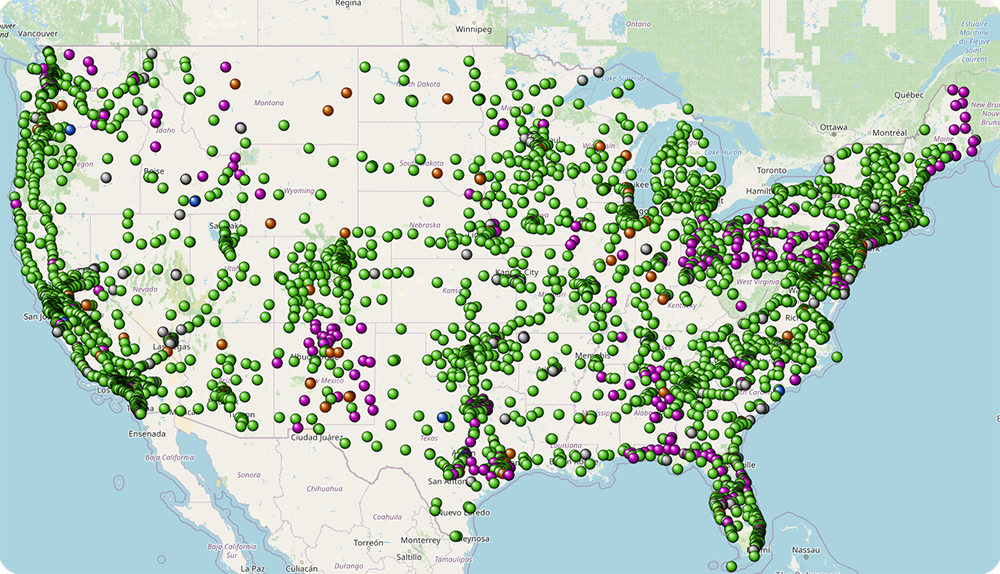
Source: fastcharger.info
Non-Tesla EV Supercharger Access
As of late 2025, nearly all CCS-based EVs have access to most of Tesla’s Supercharger network with an adapter. EVs without an adapter can also use Tesla Superchargers that have a Magic Dock adapter.
Public Station Charging Costs
The amount is costs to charge your EV can differ by the state you are located in, time of day, and whether the station charges by the kilowatt-hour (kWh) like your home electricity usage, or by session length. To give you a ballpark idea, here are some example charging fees based on the network and location. Keep in mind, most charging networks offer some sort of paid membership where you pay a flat monthly fee upfront and receive heavily discounted rates when you go to charge.
Electrify America:
- California
- Pay-per-kWh
- $0.48/kWh (non-members)
- $0.36/kWh (Pass+ members)
- Kentucky
- Pay-per-min
- 1-90 kW: $0.19/min (non-members)
- 1-350 kW: $0.37/min (non-members)
- 1-90 kW: $0.15/min (Pass+ members)
- 1-350 kW: $0.29/min (Pass+ members)
Pass+ membership is a $7 monthly fee.
Tesla Superchargers:
- California
- 12:00AM-3:59AM: $0.33/kWh
- 4:00AM-7:59AM: $0.43/kWh
- 8:00AM-11:59AM: $0.48/kWh
- 12:00PM-4:49PM: $0.56/kWh
- 5:00PM-11:59PM: $0.48/kWh
- Kentucky
- $0.36/kWh
EVgo:
- California (non-members)
- 12:00AM-7:49AM: $0.36 to $0.49/kWh + $0.99 session fee
- 8:00AM-3:59PM: $0.41 to $0.56/kWh + $0.99 session fee
- 4:00PM-11:59PM $0.46 to $0.63/kWh + $0.99 session fee
- California (EVgo PlusMax members)
- 12:00AM-7:59AM: $0.24 to $0.32/kWh
- 8:00AM-3:59PM: $0.27 to $0.37/kWh
- 4:00PM-11:59PM: $0.30 to $0.41/kWh
- Kentucky
- $0.35/kWh (non-members)
- $0.26/kWh (EVgo PlusMax members)
EVgo PlusMax is a $12.99 per month membership.
Destination Charging
Another method of fueling up your EV when you are out on the road is by using destination chargers. Also referred to as “Level 2” chargers, this equipment adds fewer miles of range per hour compared to Level 3 stations. The idea is that you’ll leave your electric car plugged in while you are busy doing something else, such as sleeping at your hotel or hiking in the woods. Destination chargers are often completely free to use (but not always), which is another reason to incorporate them into your trip if you can.

You’ll find destination chargers at hotels, POIs, and even Disney World.
Like with public fast chargers, there are different plugs used by destination chargers for Tesla and non-Tesla EV models.
Tesla Destination Chargers
Unlike the Supercharger network, Tesla doesn’t maintain destination chargers. Instead, they are usually purchased by private companies or city governments to attract business or traffic.

Tesla destination chargers at a hotel I’ve stayed in previously.
These chargers, of course, use the NACS port. However, if you buy an adapter, like this one from Lectron I have, any EV can use them. These chargers add 30-45 miles of range per hour for Tesla EV models, and somewhere between 15-45 miles of range per hour for others, depending on the adapter you purchase and your electric vehicle’s capabilities.
Other Destination Chargers
All other destination chargers in the US use the SAE J1772 connector. This port is coupled with the CCS pins on EVs, except the Nissan Leaf where the CHAdeMO and J1772 ports are separated. Power output can vary depending on the model of charger that’s installed and your vehicle’s charging equipment. In general, 10-45 miles of range added per hour is common.
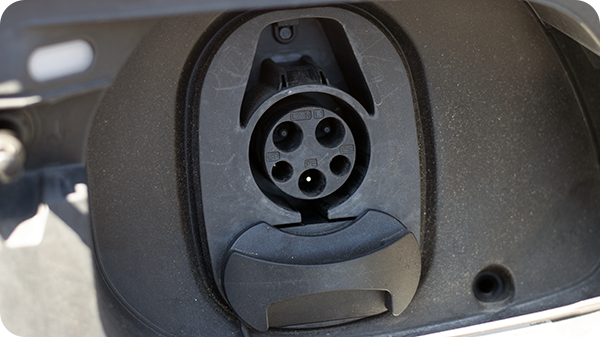
The J1772 port on my Volkswagen ID.4.
Tesla vehicles can also access these destination chargers by using the adapter included with every new car. If you don’t have one, you can buy a replacement from Tesla’s website or get an aftermarket adapter for a bit cheaper.

An example destination charger developed by Blink.
EV Charging Station Finder Apps
Now that you know which chargers you can and can’t use, how do you find them? If you own a Tesla, the in-car navigation software is pretty robust and can do all of this work for you.
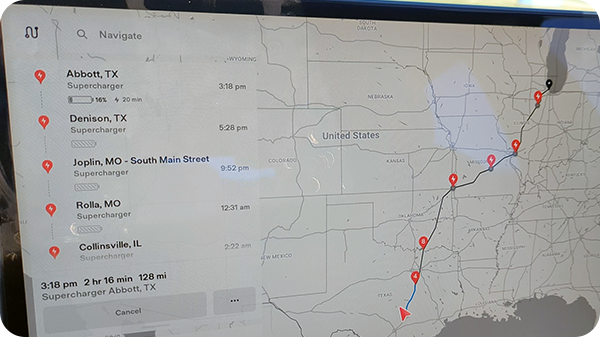
Tesla’s in-car navigation software does all of the planning work for you and is pretty accurate.
If you don’t own a Tesla, well, I have two resources that I use and recommend (neither are sponsored).
PlugShare
PlugShare’s website and mobile app are free to use and allow you to search for chargers based on your specific EV, as well as by network, charging speed, and other filters. You can also read reviews and get helpful information from other owners.

PlugShare is a great tool for finding chargers. Source: plugshare.com
I primarily use PlugShare to identify where destination chargers are located and to make sure stations on my route are working properly.
A Better RoutePlanner
A Better RoutePlanner (ABRP), which is now owned by Rivian, is my preferred way of calculating fast charging stops along my journey. It uses a handful of variables to provide a decently accurate estimation of how many charging stops you’ll need, where to stop, and how long you’ll need to charge to make it to your destination.
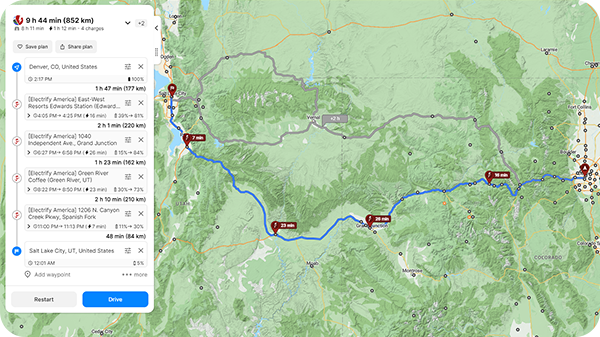
ABRP is a must-have app for any non-Tesla EV owner.
Though it’s free to use the tool for basic navigation, you can purchase a premium membership which can provide more accurate results based on real-time weather and other features.
Real-World Range Planning
Just like MPG being a good, but not perfect, estimate for internal combustion engine vehicles, estimated range and MPGe are only achievable in ideal conditions. When it comes to electric cars, there are some factors you’ll want to keep in mind: how fast you are driving, the temperature, wind conditions, and cargo you are bringing along.
Temperature Impact on EV Range
As with all cars, weather can drastically reduce efficiency and, therefore, your electric vehicle’s real-world range. This is especially true for winter driving, where EVs often see a 30-40% reduction in efficiency, which can add a lot of additional time and stops to a long distance trip. With that in mind, you’ll need to plan accordingly.
As mentioned above, ABRP’s premium membership includes the ability to adjust estimates by using real-time weather data. You can also manually input this information using a free account, but it won’t be quite as accurate, so I’d recommend being conservative. Luckily, using the air conditioning and driving in the heat of the summer have a far less impact on an electric car. Nevertheless, you should still account for a range loss of around 10% if you use the AC.
Wind Conditions & Driving Speed
Another factor to consider is whether or not you’ll be driving into a strong headwind or have a tailwind at your back. How fast you drive also makes a big difference, too. Air resistance on a vehicle increases exponentially the higher your speed. Highway driving can reduce range by 10% easily, even in ideal weather conditions.

Tesla’s real-time efficiency tracking software provides important information your estimated range.
If you want to quickly find out how strong and what direction the wind will be blowing on your journey, then I highly suggest the Windy app or reviewing the Windy website before you leave the house (again, not sponsored). You can see both current and forecasted conditions, which can help you determine the likelihood of needing an extra stop or two along the way.
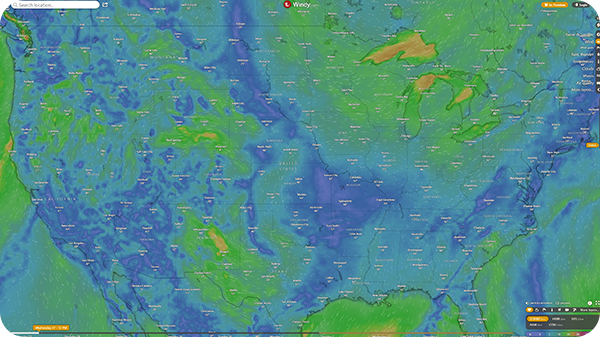
Source: windy.com
Cargo & Towing
If you decide to bring a rooftop-mounted cargo box or are carrying other gear on the top of your car, these will also increase drag and reduce efficiency quite a bit. Towing a max payload camper? You should expect to lose around half of your rated range at a minimum. If at all possible, store your gear inside or behind your vehicle to reduce range losses.
Example Road Trips
Using ABRP, let’s look at a few scenarios involving speed and the weather.
For this:
- We will be taking a trip from Houston, TX to Chicago, IL.
- Our EV is a 2024 Tesla Model 3 Long Range AWD with 18″ aero wheels.
- This vehicle has an EPA-estimated 341 miles of range.
- We will use ABRP’s “quickest arrival” setting.
- Each trip will start with 100% state of charge and end with 5% battery left.
For reference, Google Maps says that this road trip should roughly take 15 hours and 30 minutes to 16 hours to complete without traffic. Charging station locations may result in a longer route.
Scenario 1 – Good Weather Conditions
In this example we will test how long and how many stops it takes the Model 3 to complete our trip with favorable weather and speed conditions.
Settings Used:
- 75 mph
- 70°F, 0 mph headwind
Click Image to Enlarge

Source: abetterrouteplanner.com
In this case:
- The road trip would take 17 hours and 51 minutes to complete.
- You would need to stop and charge 4 times for a total of 1 hour and 19 minutes.
Scenario 2 – Speeding with a Headwind
Here’s how much longer it would take if you were speeding and driving into a headwind. Keep in mind, the Model 3 has one of the lowest drag coefficients of any EV, meaning wind will have less of an impact on it than a Rivian R1T, for example.
Settings Used:
- 85 mph
- 70°F, 15 mph headwind
Click Image to Enlarge

Source: abetterrouteplanner.com
In this case:
- The road trip would take 18 hours and 12 minutes to complete.
- You would need to stop and charge 4 times for a total of 1 hour and 38 minutes.
Scenario 3 – Cold Weather Conditions
Now, let’s take a look when everything is the same as scenario 1, except you are driving in freezing temperatures.
Settings Used:
- 75 mph
- 25°F, 0 mph headwind
Click Image to Enlarge

Source: abetterrouteplanner.com
In this case:
- The road trip would take 18 hours and 56 minutes to complete.
- You would need to stop and charge 6 times for a total of 2 hours and 7 minutes.
Recommended 4-Step Road Trip Plan
If you own a Tesla, a lot of this will not be needed because the in-car software does most of this for you, but it doesn’t hurt to double-check. For other EVs, things are improving, but aren’t there quite yet. Therefore, here’s my process for planning an electric car road trip.
Step 1: Find Destination Chargers
Use PlugShare to determine what hotels or POIs along your route have destination chargers and call ahead to confirm that they are active. These might be free to use and allow you to charge while you are doing something else, like sleeping. To find destination chargers on PlugShare, you’ll need to filter by power output of less than 50 kW and you can also select the “free charging” option if you only want to see fee-less chargers.
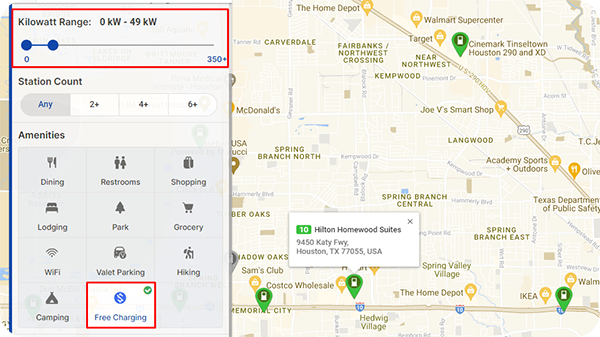
Be sure to set these two PlugShare filters to find free destination chargers along your route. Source: plugshare.com
Step 2: Use ABRP to Map the Trip
As shown in this article, ABRP will automatically create a charging plan and driving route for you based on your vehicle and the conditions that you provide. I highly recommend considering their premium account for real-time weather. Be sure to include estimated headwinds, expected driving speed, and temperature for the best result. Take a screenshot so you can check your actual battery level versus what ABRP estimated on your way.
Step 3: Crosscheck ABRP’s Charger Recommendations with PlugShare
Sometimes ABRP’s database isn’t up to date and some of the chargers recommended on your route may be down or are being serviced. Always check the charging stations provided by ABRP for your journey and make sure they are working by taking a look at recent user reviews or data from PlugShare. You can also download the network’s app, but even then they may not report if a station is slow or has a partial outage.
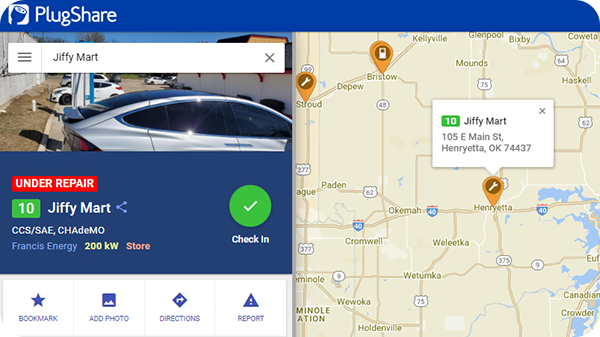
It’s always a good idea to check PlugShare to see if a charger is down or if users are leaving comments about issues. Source: plugshare.com
Step 4: Create a Backup Plan
What if your EV is getting less real-world range than you expected? Or, what happens if a charging station goes down last minute? You should always have a backup plan for these types of scenarios. Here are my tips to avoid having your trip ruined:
- Charge your battery to a higher level than ABRP recommends. I always add 5-10% more charge on top of what the website says.
- Identify a “plan B” charger, which may be slower or slightly out of the way, that you can use just in case.
- Consider buying a portable Level 2 charger, like the one I own made by Lectron, which I bring on every long trip I’m not familiar with.
- Most modern RV parks have compatible NEMA 14-50 240V outlets that can add 15-45 miles of range per hour to your EV.
EV charging infrastructure is improving every day. Soon public fast charging stations will be as ubiquitous as gas stations are now. For now, it doesn’t hurt to be a bit extra cautious, but I have done many EV road trips over the last 5 years and all without any major issues. There’s no need to stress as long as you do some planning.