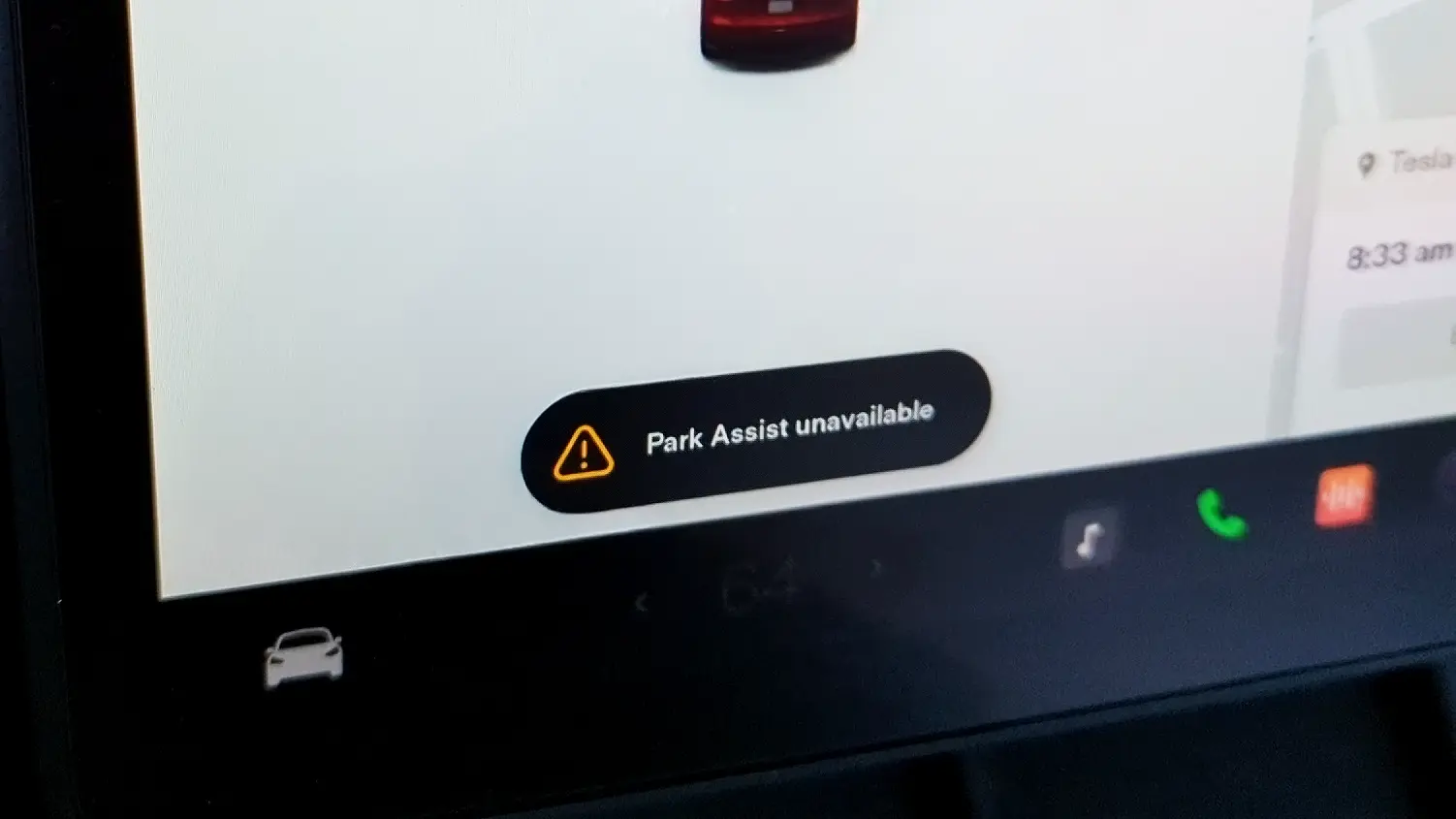

If you own a Tesla, you’ve likely encountered the “park assist unavailable” warning that randomly appears on the screen. In fact, much to our dismay, many of us see this message quite often. But what causes it, and is there anything you can do about it?
What Is Tesla’s Park Assist?
Park Assist is the name of Tesla’s software that uses the vehicle’s onboard cameras to provide drivers with visual and audible warnings and estimated distance information when objects are detected in close proximity while the vehicle is moving at low speeds, either forward or backward.
The goal is to provide owners with additional information to help them maneuver their vehicles when parking or navigating through tight spaces.

Park Assist software as seen in the 2024 Tesla Model 3 I test drove earlier this year.
Though Park Assist can be very helpful, you should never rely solely on this software, as estimated distance and object detection can be very inconsistent at times.
Related Reading: Tesla White vs Black Interior: An Owner’s Review
What Does “Park Assist Unavailable” Mean?
If you get this message, you won’t see the estimated distance between your Tesla and nearby objects as usual. You also won’t be able to use the self-park or summon features. This is because the software is not receiving the information needed to generate distance estimations.

Though Tesla’s high-quality external cameras make parking easy, this software adds an extra layer of help, especially in tight spaces.
Most Common Causes
Based on my own experience and reading about others having issues online, here are the common causes:
- Rain, snow, or dirt is blocking the cameras or sensors.
- It’s a temporary software glitch that will resolve on its own or can be fixed by restarting the vehicle.
- Wiring to one or more of the sensors has been damaged.
If you are driving in the rain or snow, it’s almost always the reason the error pops up. If the weather improves and the message doesn’t go away, you’ll know it’s one of the other causes.
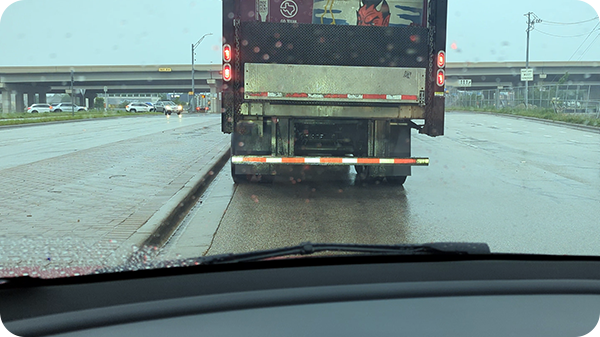
Even the relatively light rain we had on this day was enough to trigger the error in my Model Y.
Related Reading: Can You Charge a Tesla, EVs During Rain or Lightning?
Fixing Tesla’s “Park Assist Unavailable” Error
There are a few things that you can do to try and resolve this problem on your own.
Clean the Car – If the weather has been bad or your car is dirty, wash your car’s front camera housing, ultrasonic sensors, and all of the side cameras. On that note, I use this gentle cleaning solution to avoid damaging my Tesla’s paint versus going through a car wash that contains abrasive chemicals.
Related Reading: How to Clean Tesla White Seats + Tips
Reset the Vehicle’s Software – A Tesla is a computer on wheels. Sometimes a reset of the software will take care of a random bug and everything will work properly again.
To do this, you must be parked. Place and hold your foot on the brake pedal while pushing and holding down on both steering wheel scroll wheels. Wait until the screen(s) turn completely black and you see the Tesla logo appear. Then, you can let go.
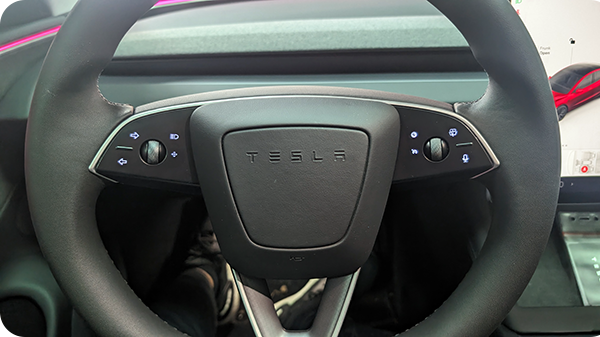
You’ll need to hold down the scrolling wheel buttons for 5 seconds or so.
Check for a Software Update – In rare cases, a software update can unintentionally break a feature and you need to install another one shortly after to fix it. You can also check online and see if other Tesla owners are reporting similar problems.
Related Reading: 8 Tesla Pros & Cons: An Owner’s Perspective
When to Take Your Tesla to a Service Center
If none of the recommendations above fix the issue and it sticks around for a few days, it’s possible that you have a damaged or even dead component of some kind.
It could be that the wiring is bad, a sensor or camera itself isn’t functional, or that an animal has chewed through the wiring. In these cases, you’ll unfortunately need to take your car to a Tesla service center to have diagnostics and repairs completed.

A service center visit may be required if the park assist error persists for several days or more.
Try not to worry too much. I’ve experienced this error dozens of times over the years and I have never needed to visit a service center. The option is there just as a last resort.
Related Reading: Tesla Maintenance Costs & Warranty Information
Tesla Vision Might Be Worse in the Short Term
In 2022, Tesla started removing ultrasonic sensors from Model 3 and Model Y, followed by Model S and Model X a year later. This fundamentally changed how Park Assist worked and the visualization displayed on the screen.
Now, all new models rely solely on Tesla Vision, which, as the name suggests, only uses cameras to estimate distances. Before selling my 2023 Model Y, I did notice an uptick in the frequency of this error occurring, along with much less accurate distance estimation.
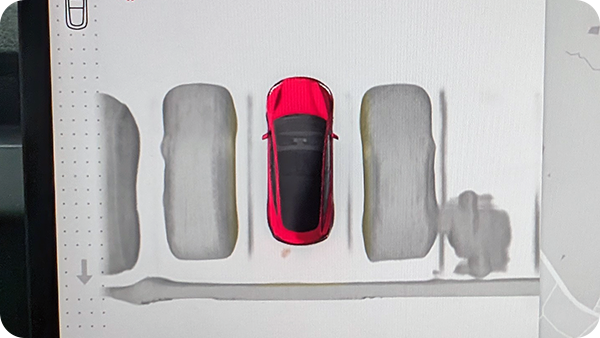
Despite some accuracy issues, Tesla Vision has become more impressive over time.
My current Tesla, a 2026 Model Y, has displayed serious progress in addressing accuracy issues. There are still some gaps, but Tesla Vision will eventually get there. In the meantime, you might have to deal with this error and some others for a bit.
How I (Mostly) Got Rid of the Problem
I ended up applying a small amount of Rain-X to the front-facing camera housing area (shown below). Tesla’s wipers do not reach this part of the windshield, and it’s very easy for rain droplets to just sit there even while you are driving.
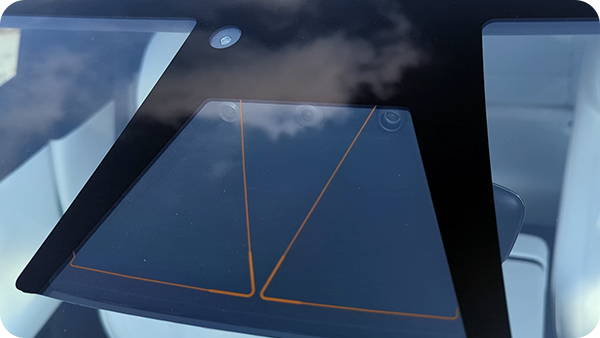
Apply Rain-X to this area only or you might get some squeaky wiper issues.
Rain-X causes precipitation to slide right off when you are driving. The reason I don’t recommend applying Rain-X to the entire windshield is that I, along with other owners online, noticed it causes the wipers to rub and be very loud.
The Tesla owner’s manual warns against applying this type of treatment to the windshield as well, so be careful if you decide to try it.
Related Reading: Tesla Not Supercharging: Causes, Solutions & Tips
Sources