

Having trouble unplugging your Tesla? Luckily, it’s usually an easy fix. Here’s how to unlock your Tesla’s charge port, even if a charger or adapter is stuck in it.
Unlock Your Tesla
The first thing you should do is check if your Tesla is locked. If it is, the charger can’t be removed. You can unlock your car by:
- Using the Tesla mobile app.
- Holding the key card against the B-pillar just below the camera on the driver’s side of the car.
- Using your phone with Phone as a Key (PAAK) if it’s paired and Bluetooth is turned on.
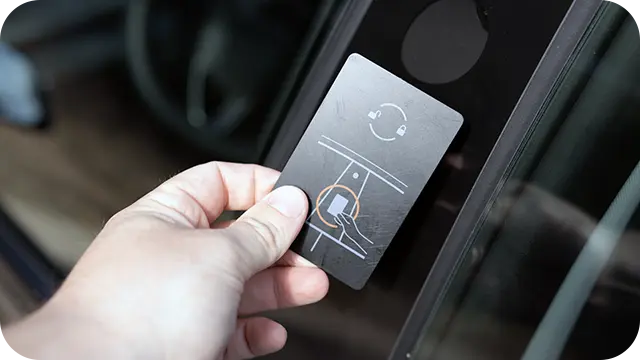
If your Tesla is locked, so is your charge port.
Charging With an Adapter
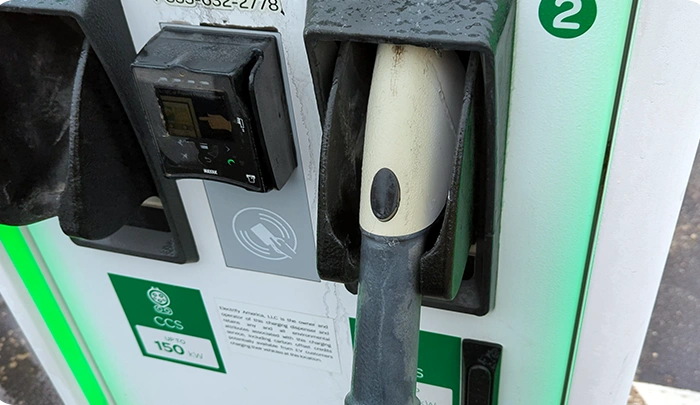
If you are using an adapter, like the CCS or J1772 connectors, you need to release the charger properly or they will stay attached to the vehicle. After unlocking the car, press “stop charging” on the center screen or mobile app, then pull out the charging connector.
You can also press and release the button on the charging handle, then pull the equipment out. Just know holding the button down while pulling may leave the adapter connected.
If the vehicle is unlocked and you still can’t remove the charging equipment, then it might be stuck. Don’t worry, here’s how to fix it.
Using Tesla’s Emergency Charge Port Lock Release
For all Tesla models except for the Cybertruck, you can find the charge port’s physical emergency release cable in the rear cargo area of the car.

You’ll need to pull this strap to release the charge port locks.
Before using it, make sure you hit “stop charging” in the app, on the center screen, or the charger itself (if applicable) to cut off the flow of electricity; otherwise, the connector or equipment may remain “live,” which could be hazardous.
Next, open the trunk or hatch and look for a rectangular cutout in the upper right side. You should see a black strap with a looped handle. If you don’t see a strap, it might be tucked away, so reach up into the opening to feel for it.
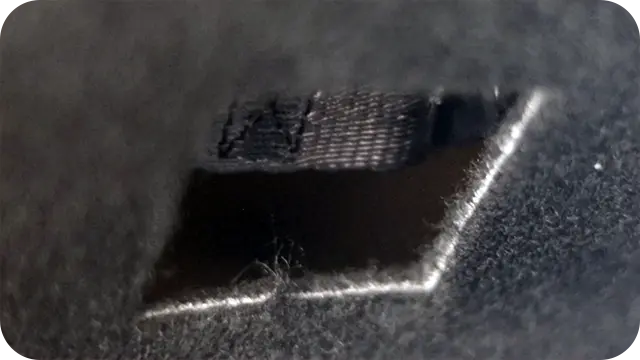
The strap is usually tucked away in this cutout on the right side of the cargo area.
Once you have the strap, pull it down towards the bottom of the cargo area. You’ll hear a sound which confirms the locking mechanism has been retracted. You should be able to remove your charger or accessories now.
Do not pull on the charging equipment while pulling the strap, as this increases the risk of electric shock.
Cybertruck Charge Port Emergency Strap Location
If you have a Cybertruck, all of the steps will be the same, except you’ll find the emergency release strap in a different location.
To access it, lower the tailgate. Using your hands, pull the right side of the lower panel away from the vehicle (the one where the tailgate cable connector is located). This will reveal the strap which you can pull back towards you.
As with the other models, do not pull the charging equipment out of the port while pulling the release cable, as this increases the risk of electric shock.
What if My Tesla’s Charge Port Remains Stuck?
In the rare event that the emergency release strap doesn’t work, you’ll need to contact Tesla service.
You can call 877-798-3752 in the US for help. You can also contact Tesla Support through the app. In the meantime, you should do the following if possible:
- Lower the charging limit so that the car doesn’t continue to request power from the charger. You can do this through the mobile app or on the car’s center screen by navigating to the “Charging” menu.
- Unplug the charger from the outlet.
Depending on the situation, you might not be able to drive the vehicle. Tesla mobile service will need to inspect the charge port and equipment, or in the worst case, you may need to have your car towed to a service center.

If all else fails, you might need your Tesla towed to a service center.
But again, this is incredibly rare and the charge port’s release strap will almost always do the trick.
Sources
Related Articles